發表文章

目前顯示的是有「Mavproxy」標籤的文章

restart with bananpi 2017/12, and the installation of mavproxy with debian

Loading the firmware and start it with computer, it's comes like a raspberrypi, I think it would need some config to expend the uSD... the image I used: 2016-07-13-raspbian-jessie-bpi-m1-m1p-r1.img it's a 3.4.112 kernel easiest way is to use the GUI interface, with pi configuration. so I expand the memory and then enable some interface like uart, IIC SPI. Also turn it to 950Mhz after boot up , check version: pi@bpi-iot-ros-ai:~ $ uname -a Linux bpi-iot-ros-ai 3.4.112-sun7i #2 SMP PREEMPT Sat May 28 20:25:03 CST 2016 armv7l GNU/Linux after reboot, I plan to install Mavproxy with this: http://ardupilot.github.io/MAVProxy/html/getting_started/download_and_installation.html  first sudo su apt-get update apt-get upgrade sudo apt - get install python - dev python - opencv python - wxgtk3 . 0 python - pip python - matplotlib python - pygame python - lxml sudo apt-get libxml2-dev   sudo pip install MAVProxy   but comes with error of lackin...
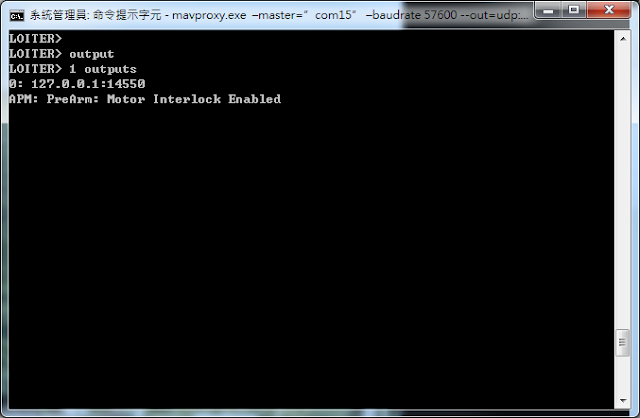
MAVproxy on windows with real pixhawk

圖片
Before Going on to beaglebone, I wish to test the following: 1. connect a pixhawk telemetry 2 through a FTDI uart to usb to my windows PC. 2. run a MAVproxy on wondows 3. connect mission planner(on local PC) to pixhawk through MAVproxy 4. same as 3, but from another PC in the same network. I have done this with dronekit-sitl on PC, according to the dronekit-sitl paper, connect 2 link to it can cause unstable. For multiple connections, it recommands MAVproxy. When I first started, I have install MAVproxy through windows installer, as well as pip through command line.(I also use python on PC) double installation cause the program to run very strangely, so I uninstall MAVproxy from windows uninstaller, and pip uninstall mavproxy through command line. Then run again the windows installer again from this page: http://ardupilot.github.io/MAVProxy/html/getting_started/index.html MAVproxy starts to show correct information....but I still can't get local or remote GCS connecte...